Super Mario Bros. 2
Introduction
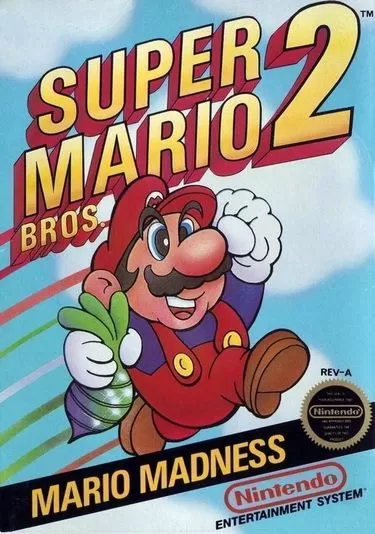
Nintendo released Super Mario Bros. 2 for the NES in North America in 1988, and it plays very differently from the other Mario games of the era. It was built from Doki Doki Panic, a 1987 Famicom Disk System game, which Nintendo reworked with Mario characters for western audiences. Mario, Luigi, Toad and Princess Peach enter the dream world of Subcon to free it from the tyrant Wart, and the player can choose any of them before each level. Each character has distinct strengths: Luigi jumps the highest, Peach can float in the air for a short time, and Toad is the fastest at pulling items from the ground. Instead of stomping enemies, the heroes pluck vegetables and pick up Shy Guys and other foes to throw them. Stages scroll vertically as well as horizontally, and hidden potions open doors to Subspace. The game later came to Japan in 1992 as Super Mario USA.
Super Mario Bros. 2
How to Play Super Mario Bros. 2 Online
Press Start Game above and wait for the NES emulator to load, then press Start. Before every level you pick Mario, Luigi, Toad or Princess Peach. By default the arrow keys are the D-pad and the Z and X keys are the NES buttons; you can confirm or change them in Control Settings inside the emulator menu.
Super Mario Bros. 2 Controls
| NES button | Action |
|---|---|
| D-pad | Move, climb vines, enter doors (Up) |
| A | Jump; hold Down until your character flashes, then jump for a Super Jump |
| B | Pull up vegetables, pick up and throw enemies or items; hold to run |
| Start | Pause |
Choosing a Character
- Mario: balanced in every area.
- Luigi: jumps highest, with fluttering legs, but is harder to control.
- Toad: pulls up items and runs fastest, but has the weakest jump.
- Princess Peach: can float in the air for about a second and a half, the easiest way to cross wide gaps.
Tips
- Use Magic Potions. Throw a potion to open a door to Subspace, where you can find mushrooms that extend your life meter and coins for the bonus slot machine after the level.
- Collect cherries. Five cherries make a Starman appear.
- Pull the big vegetables. Pulling several large vegetables in a row can produce a Stopwatch that freezes enemies.
- Beat Birdo with her own eggs. Jump onto an egg, pick it up and throw it back three times.
- Against Wart, catch the vegetables from the Dream Machine and throw them into his mouth when it opens.
About the Game
Super Mario Bros. 2 has seven worlds with three levels each, except World 7, which has two, all set in the dream land of Subcon. It is quite different from the other Mario games, so if you want classic stomping, play Super Mario Bros. and Super Mario Bros. 3; for more pick-up-and-throw action try Kirby's Adventure.